0.6.7New in 0.6.7: OpenDocument (.odt) in Werko Text, one sign-in for all apps

Office.Reimagined.

Documents, spreadsheets, presentations, PDF and email – in one suite. Free, no ads, no subscription. Your files stay on your device and still open in Word, Excel and PowerPoint.

Version 0.6.7 · Windows · Mac · Linux · Web
Completely freeNo adsSign in with Google.docx · .xlsx · .pptx · .pdf
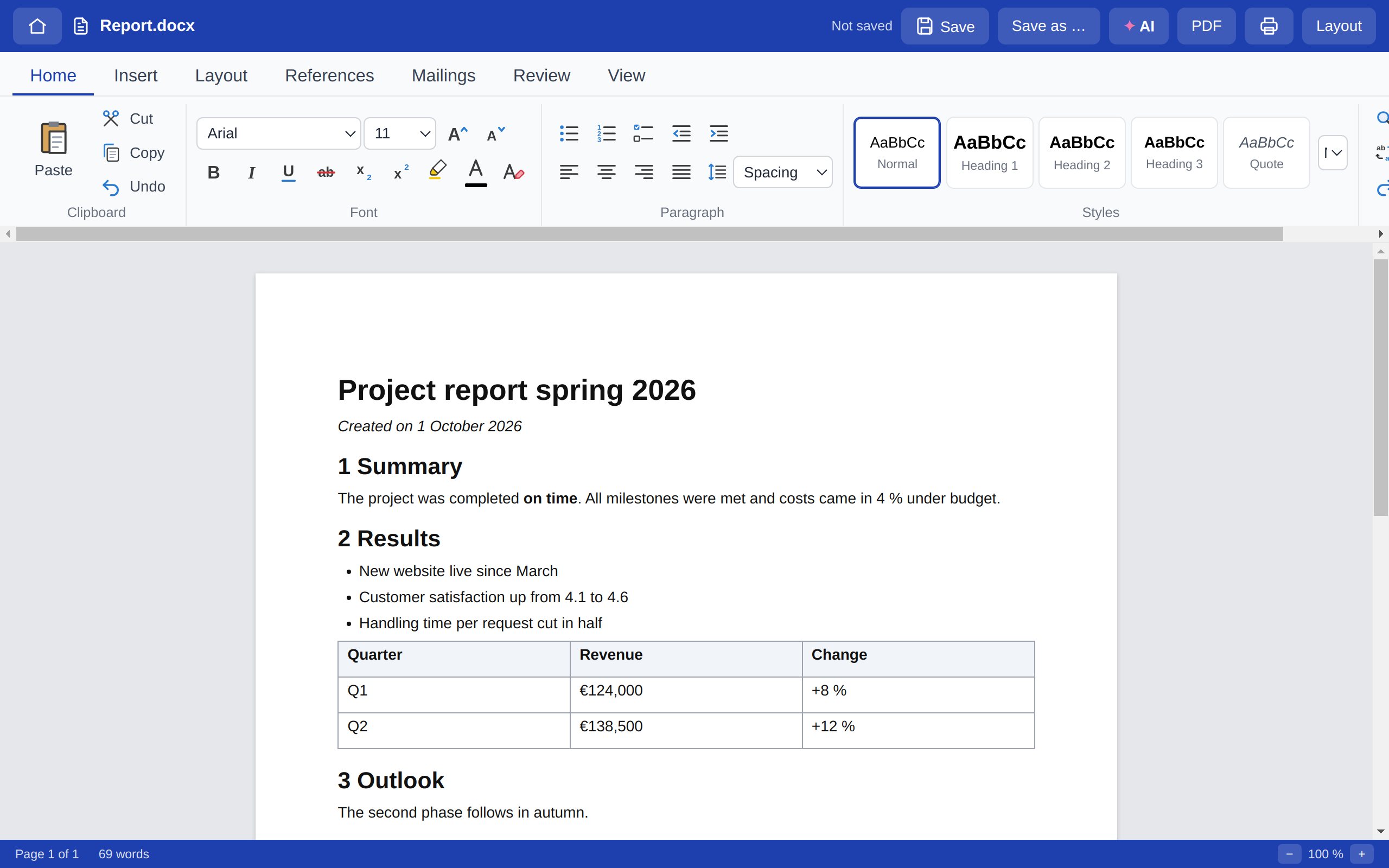
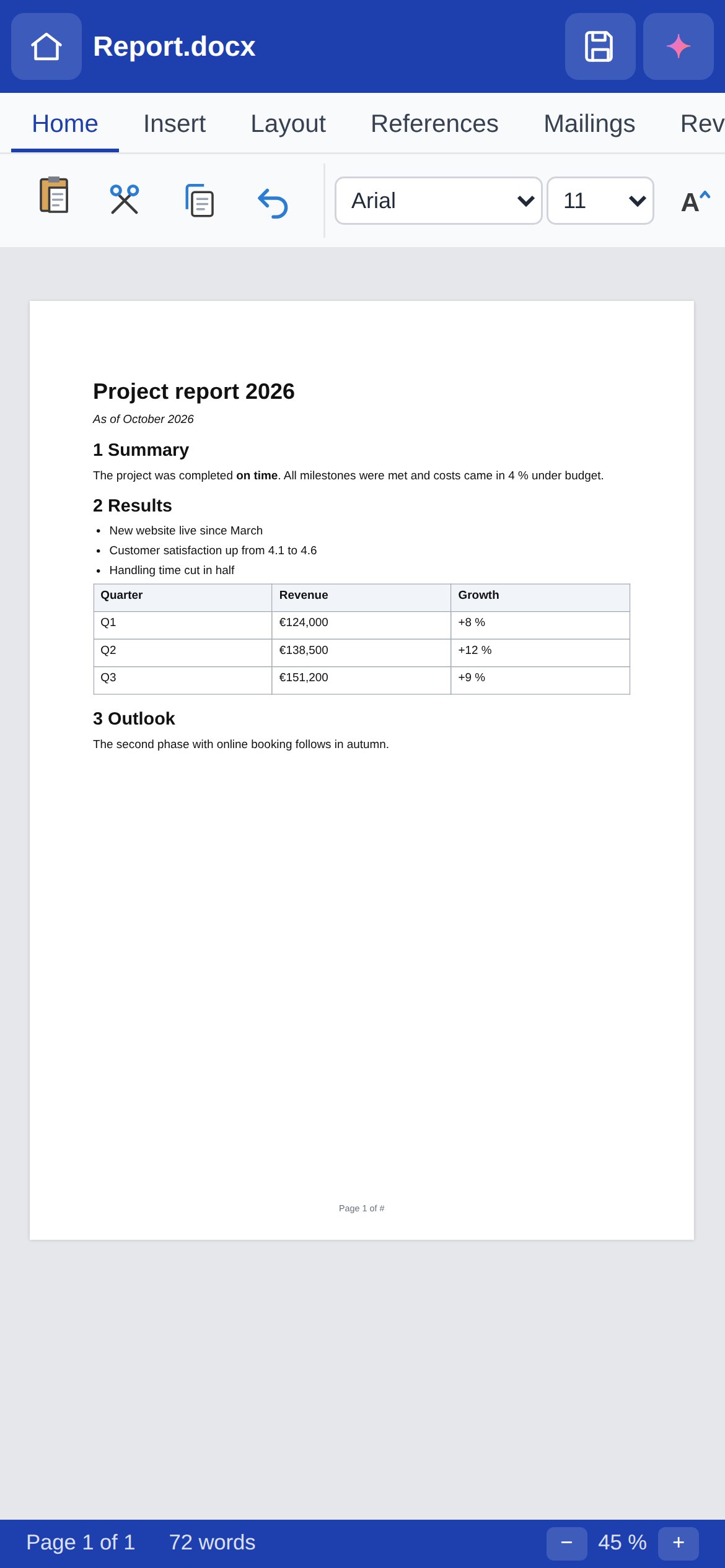
Werko Text – screenshot
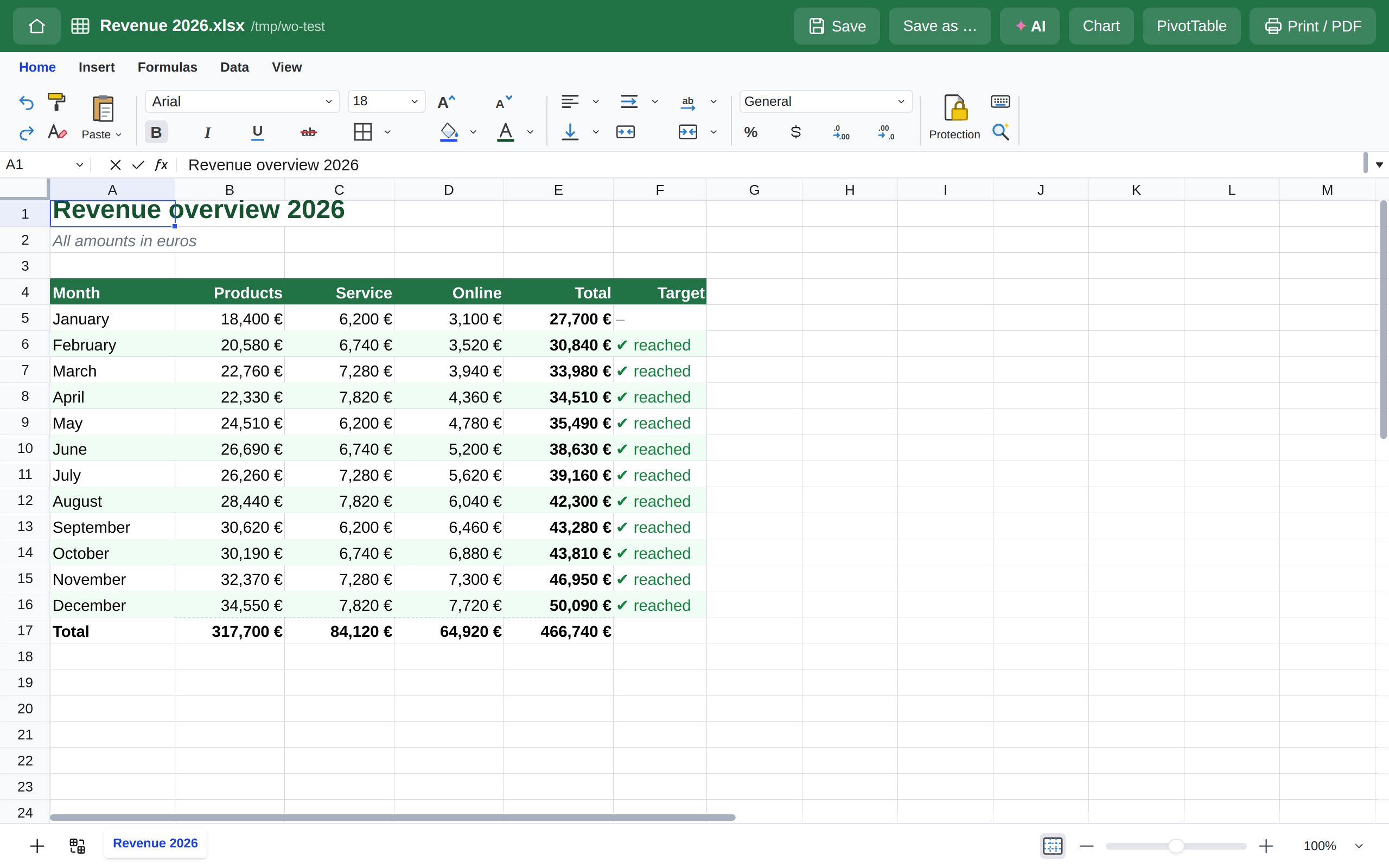
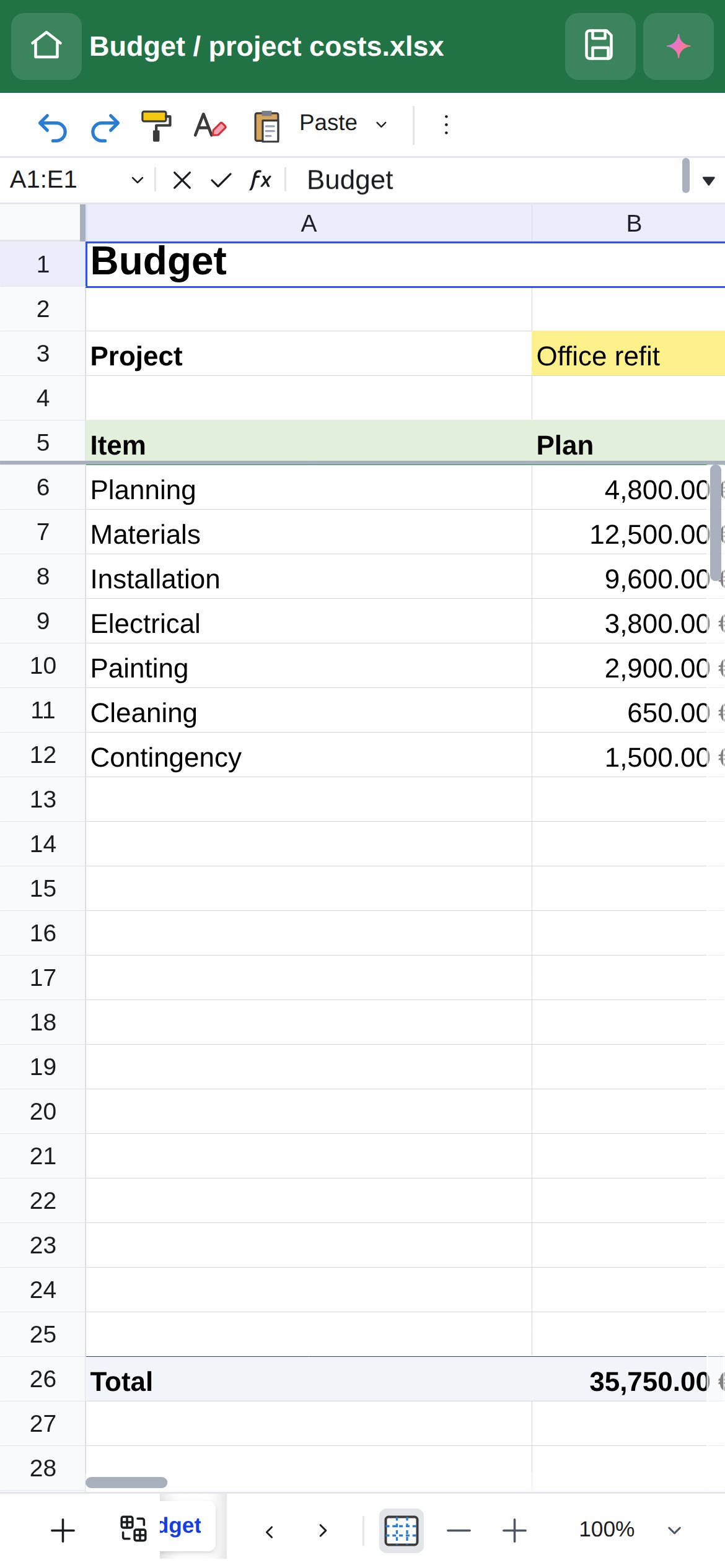
Werko Tabelle – screenshot
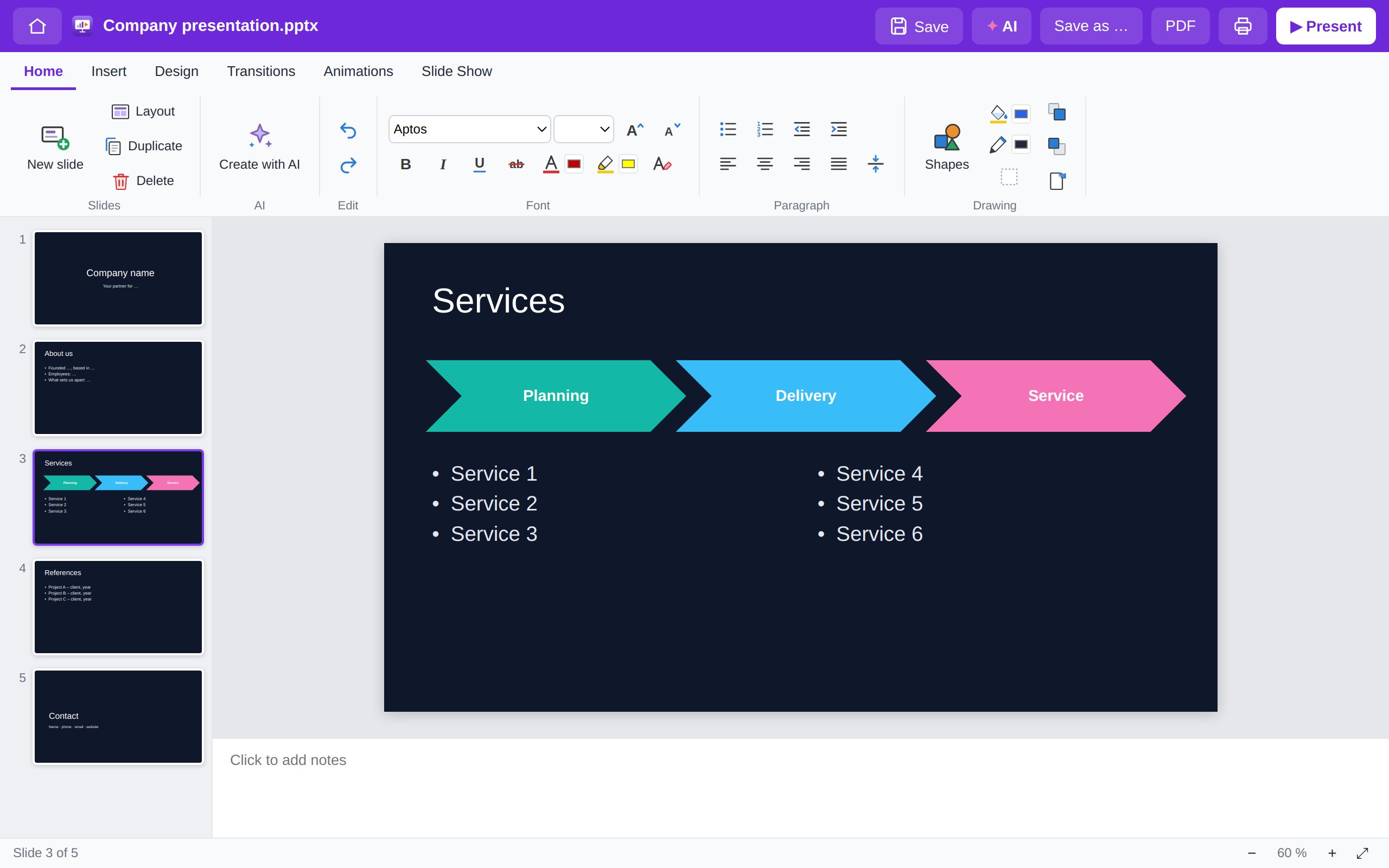
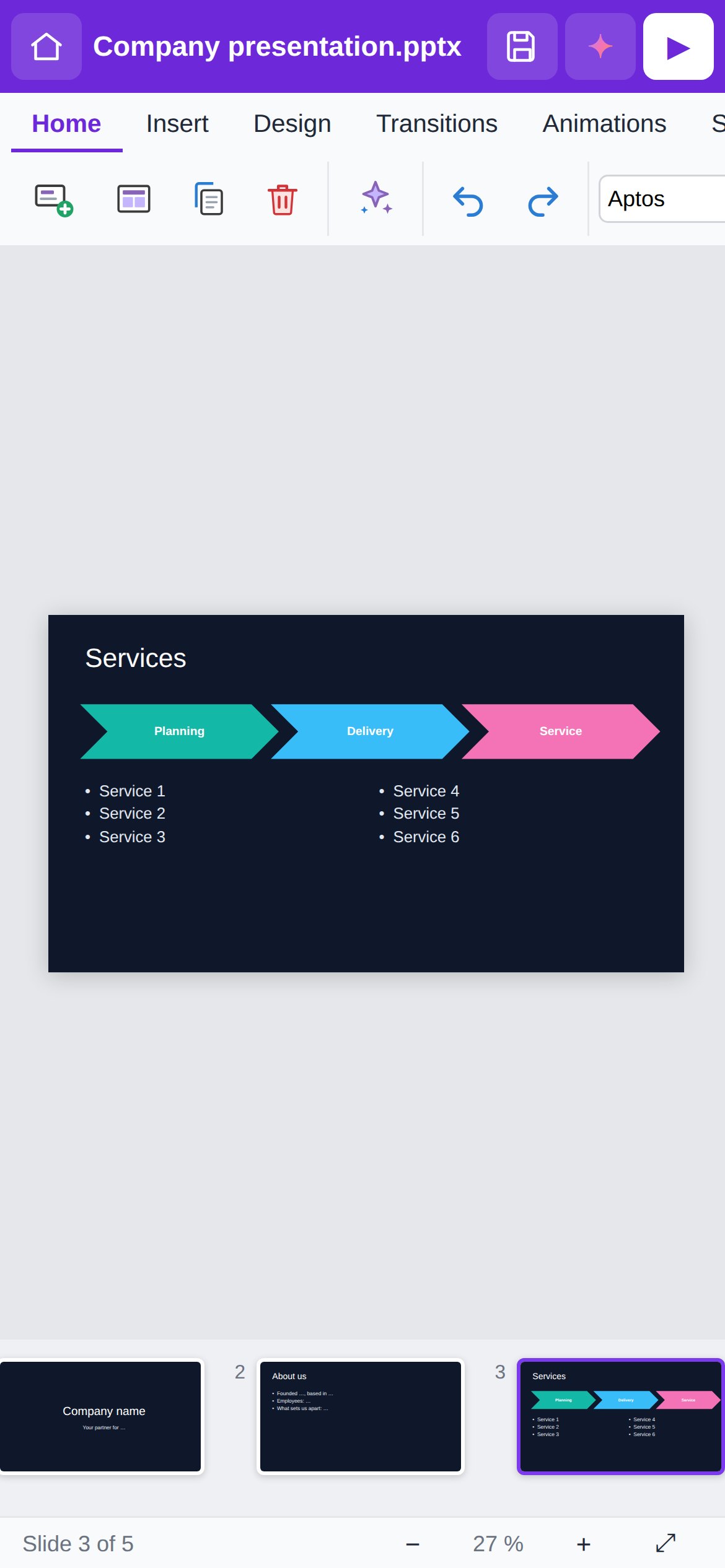
Werko Show – screenshot
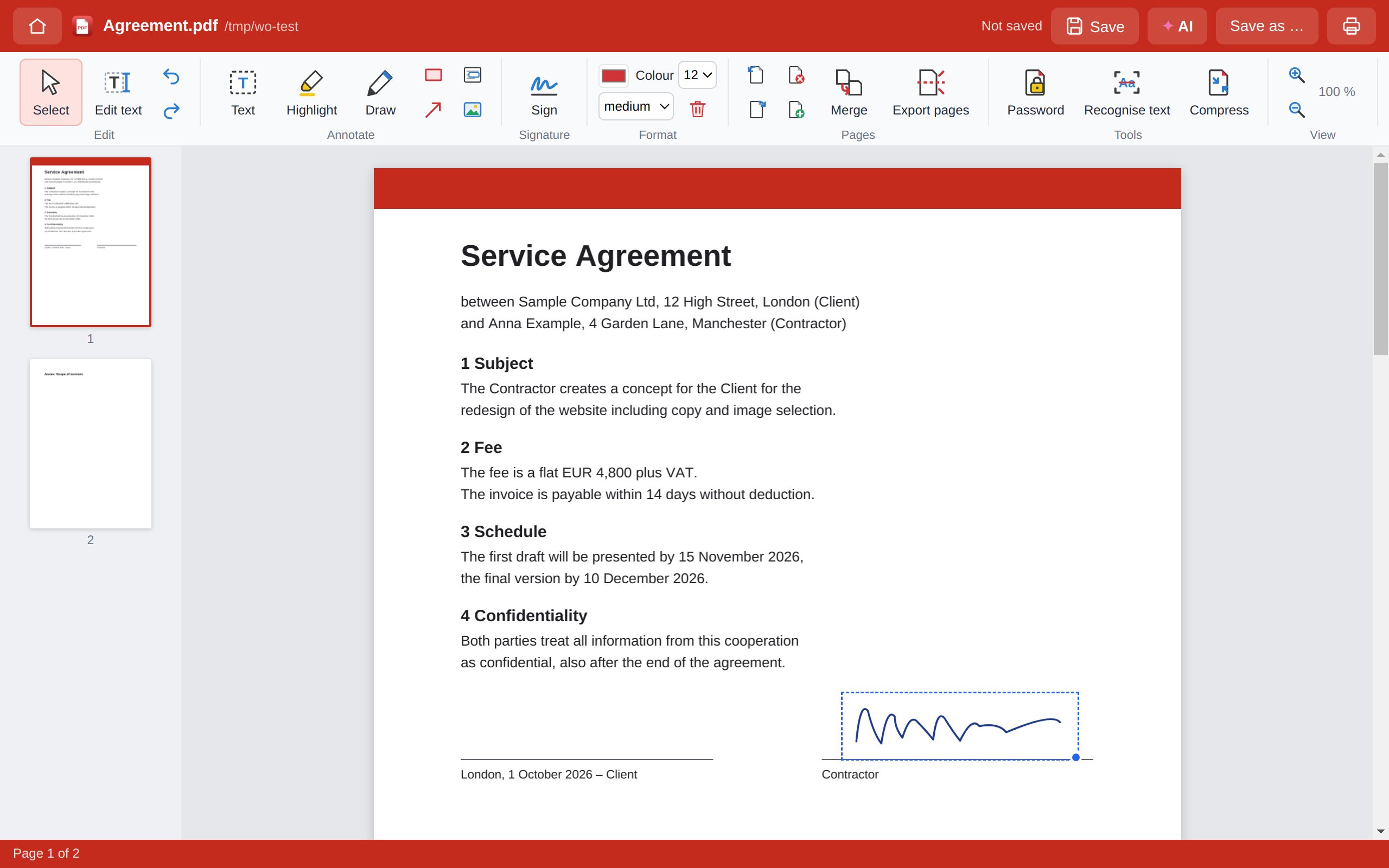
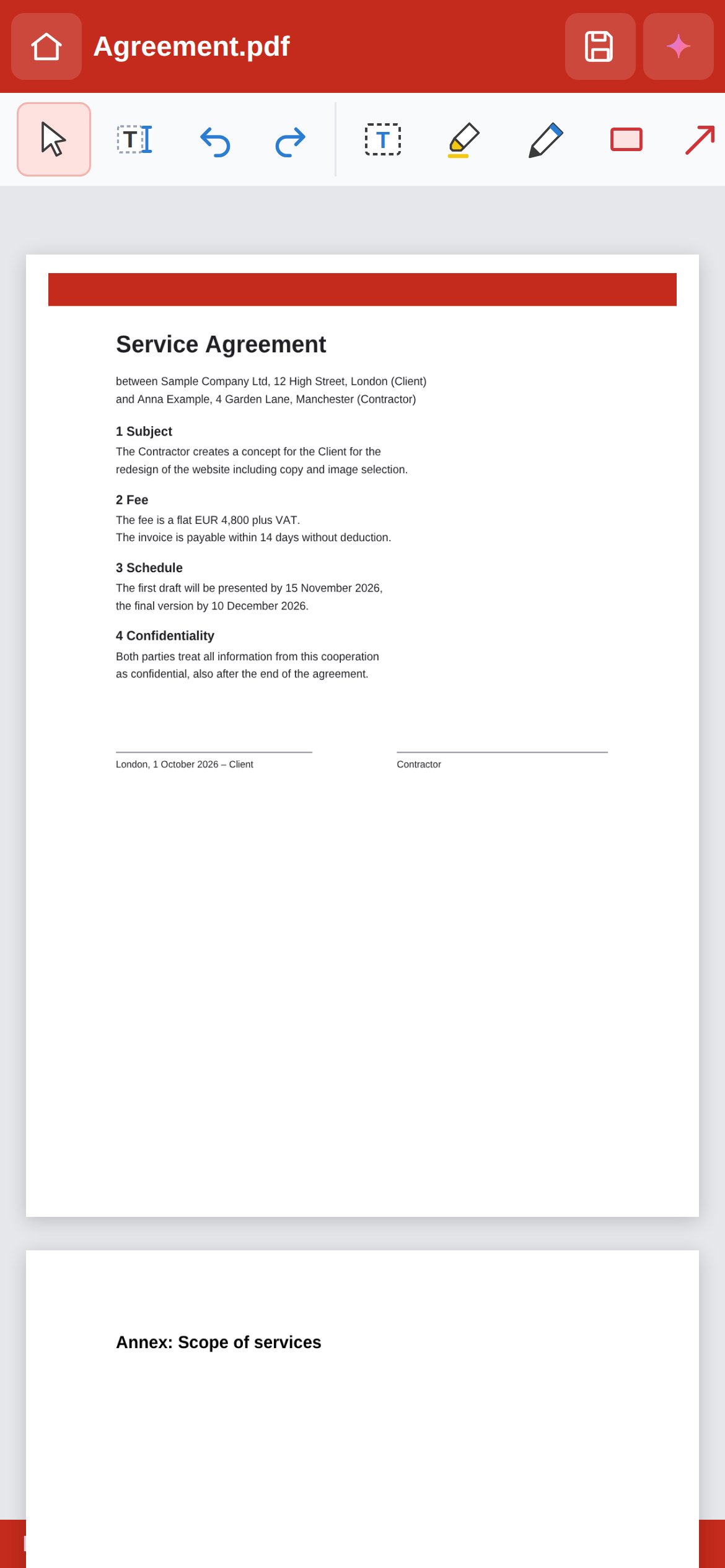
Werko PDF – screenshot
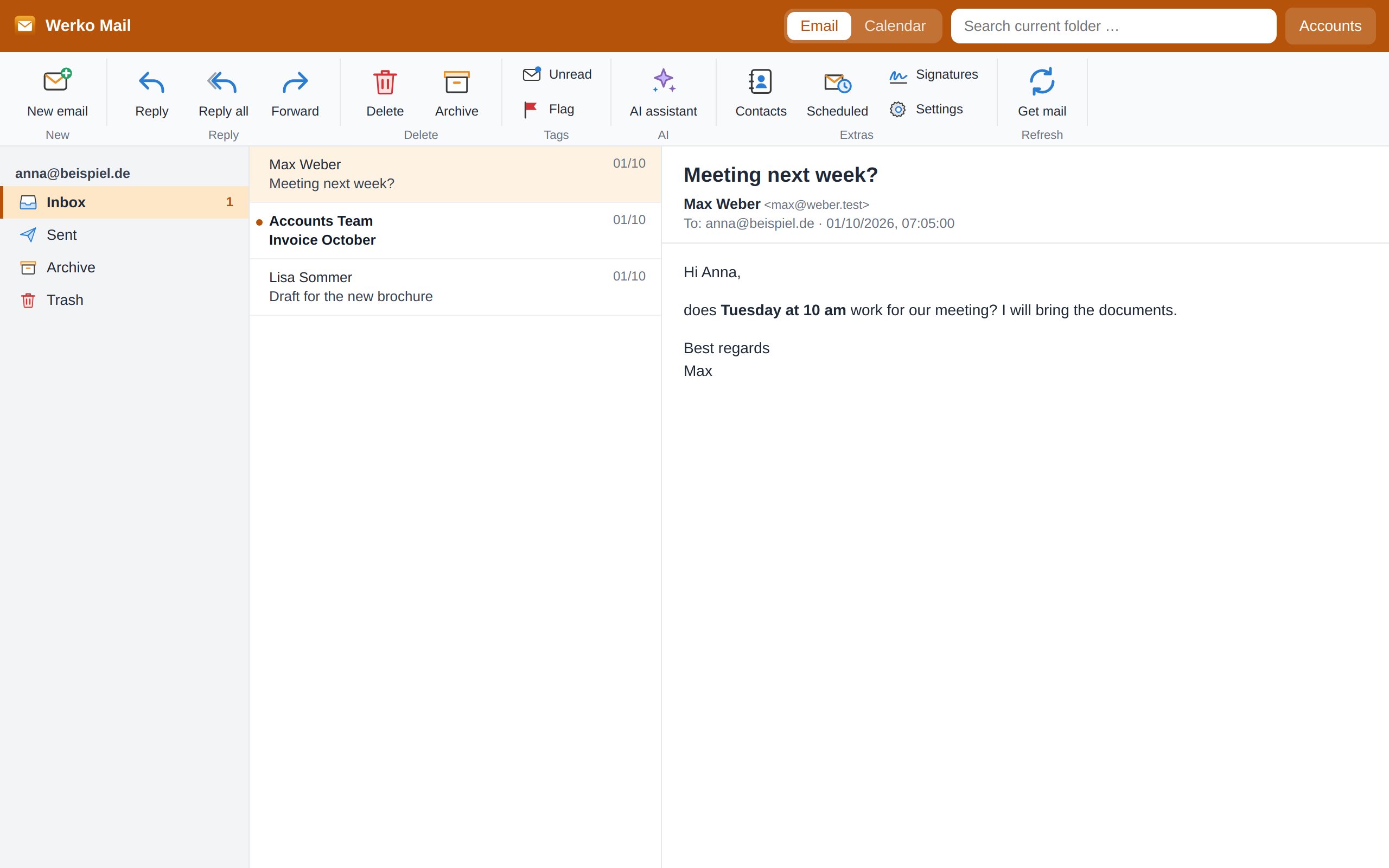
Werko Mail – screenshot
€0forever
0ads, tracking, subscriptions
5apps in one suite
5platforms incl. mobile
Five apps. One suite.

Everything you need, every day.

Each app has its own icon – just like Word, Excel, PowerPoint and Outlook. Install once, get everything.

Werko Text

Write like in Word – with a ribbon, styles and a true page view.

  • Open and save Word files (.docx), export to PDF
  • Table of contents, footnotes, headers and footers
  • Tables, images, spell checking
  • Templates: business letter, application, CV
Werko Text – screenshot
Why Werko Office

Built for people, not for data.

Your files stay with you

Everything is stored locally. No cloud lock-in, no uploads – we never see your documents.

Truly free

No trial, no subscription, no hidden costs. For private and business use.

Zero ads

No ads, no cookies, no tracking inside the apps.

Compatible

Open and share Word, Excel and PDF files – just like you're used to.

Nothing gets lost

Auto-recovery: after a crash or power cut, your work is back.

Always up to date

New features arrive automatically – no reinstalling.

Phone & tablet

Your office in your pocket.

Werko Text, Tabelle, Show and PDF run right in your browser – no installation. One tap puts them on your home screen as apps, and they even work offline.

iPhone/iPad: Safari → “Share” → “Add to Home Screen”. Android: Chrome → “Install app”.

Werko Text – Smartphone
Werko Tabelle – Smartphone
Werko Show – Smartphone
Werko PDF – Smartphone
Download

Ready in a minute.

One installer includes all five apps. Version 0.6.7.

For your device
WindowsWindows 10 and 11 · 92 MB Download
For your device
MacApple silicon (M1–M4) · 576 MB Download
For your device
MacIntel processor · 599 MB Download
For your device
LinuxAppImage, 64-bit · 125 MB Download

Which Mac? Apple menu → “About This Mac”: if it says “Chip Apple M…”, choose Apple silicon, otherwise Intel.

For businesses: Werko Office + WerkoApp

Quotes, invoices, projects and time tracking for trade businesses. Werko Office always stays free.

Discover WerkoApp →
Questions & answers

Good to know.

Is Werko Office really free?
Yes. All five apps are free and ad-free – for private and business use. If you like, you can support its development.
Windows or Mac shows a warning during installation – is it safe?
Yes. The warning appears because the installers are not yet signed with a paid developer certificate. Windows: “More info” → “Run anyway”. Mac: right-click the .pkg → “Open” → “Open”.
Can I open and share Word and Excel files?
Yes. Werko Text opens and saves .docx, Werko Tabelle .xlsx and .csv, Werko Show .pptx. Recipients can open the files in Microsoft Office. Very complex files (e.g. with macros) are simplified.
Where are my files stored?
Only on your device – wherever you save them. On phones and tablets they live in “My files” in the browser and can be saved via “Share”.
Do I need an account?
Yes, a free account – created in seconds with Google, your WerkoApp login or by email. You sign in once, after that Werko Office works offline too. Your documents still stay on your device and are never sent to us.
What happens after a crash?
Werko Office saves unsaved changes automatically. After restarting, the start page offers them under “Recovered”; email drafts reappear in Werko Mail.
How do I get updates?
Automatically. Werko Office checks for new versions regularly and asks before installing.
What's new

Recently added.

0.6.7October 2026

  • Werko Text: open and save OpenDocument files (.odt) – e.g. from LibreOffice
  • Signing in now works across all Werko apps and is remembered after closing
  • More reliable Sign in with Google

0.6.6October 2026

  • Werko Show: slide transitions, animations, presenter view with notes and timer, create presentations with AI
  • Werko PDF: edit existing text right in the PDF – scanned documents too
  • Werko Mail: Gmail with “Sign in with Google” – no more app passwords
  • Sign in with Google, your WerkoApp login or email; works offline afterwards
  • Smaller installers, phone view with a swipeable toolbar

0.6.5October 2026

  • New: Werko Show – create and present slides, opens and saves PowerPoint files (.pptx)
  • Werko Mail: calendar and address book synced with your phone, invitations, signatures, send later, Bcc
  • AI assistant in every app – with your werko.app account, your own key or locally
  • Werko PDF: password protection, compression and text recognition (OCR)
  • Werko Text: mail merge
  • Interface also in English

0.6.4October 2026

  • Auto-recovery: after a crash or power cut, unsaved documents, spreadsheets, PDFs and email drafts come back
  • Werko Tabelle: page setup like in Excel – print area, fit sheet on one page, margins, preview, direct printing
  • Werko Text: table of contents and footnotes (also in Word files)

0.6October 2026

  • Werko Mail: email accounts (Gmail, Outlook.com, GMX, iCloud …), protected reading, replies with attachments
  • Completely free and ad-free
  • Werko Text with a Word-style ribbon
  • Automatic updates with restart

0.5October 2026

  • Werko PDF: comment, sign, fill in forms, rotate, reorder, merge and split pages

0.4October 2026

  • Optional werko.app account, privacy settings, “About” window

0.3October 2026

  • Templates for letters, invoices, household budget and more
  • Colourful icons and ribbon in Werko Tabelle

Ready for an office suite without compromises?

Free. No ads. Installed in a minute.